Accounts
Overview of the accounts that make up your net worth, with balances grouped by type.
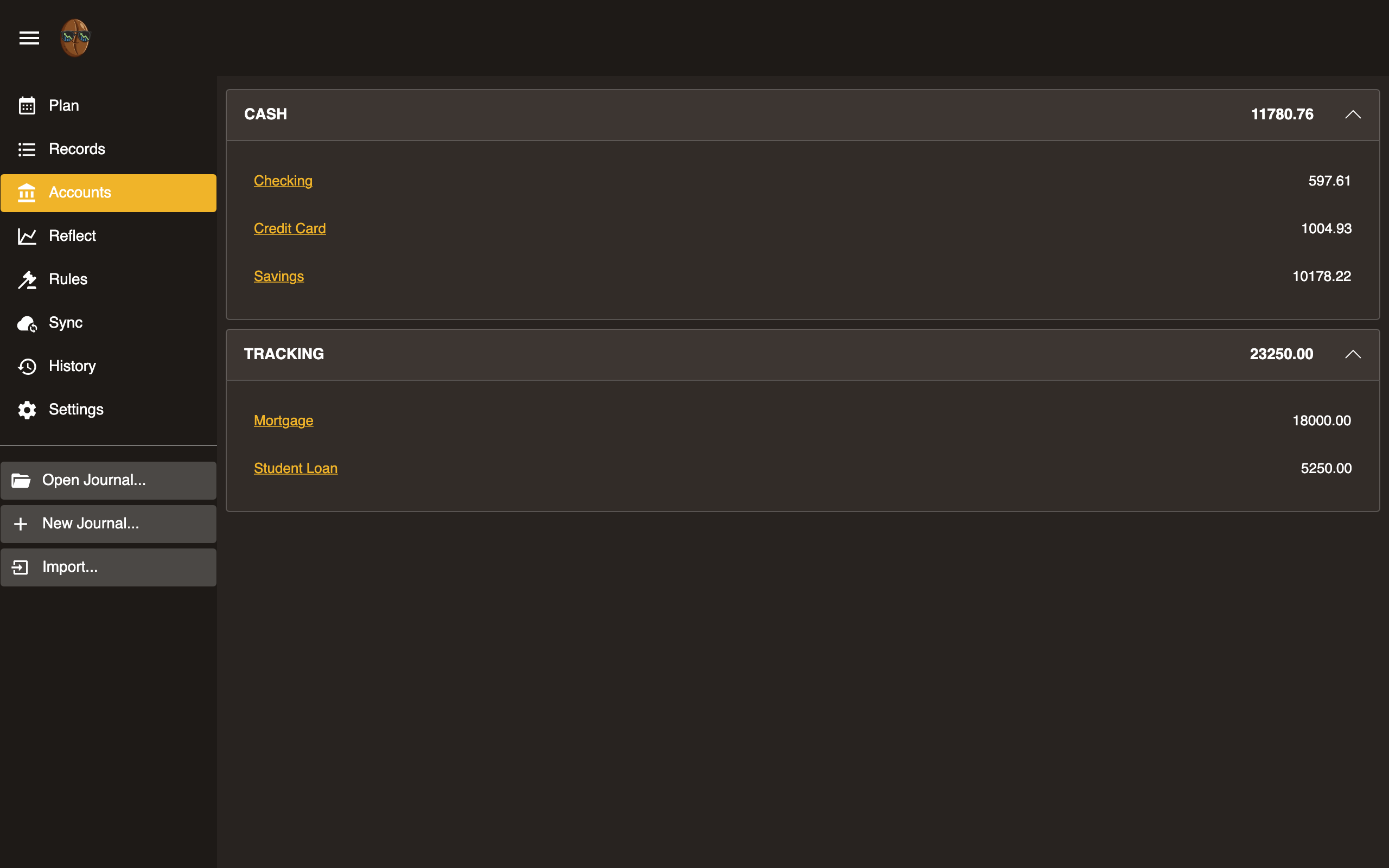
Account groups
Accounts are shown in three groups:
- Assets: checking, savings, cash
- Liabilities: credit cards, loans
- Tracking: balances you watch but that sit outside the budget, such as investments or a mortgage
Each group shows a running total. Click the arrow on a group row to collapse or expand it. Income and expense categories live on the Plan tab, not here.
Adding an account
Click + Add in the header. Enter a name, choose a type from the dropdown, and click Add. The type sets the account’s path root:
- Asset becomes
Assets:, for what you own, such as checking, savings, or cash. - Liability becomes
Liabilities:, for what you owe, such as a loan. - Credit Card becomes
Liabilities:CreditCard:, a liability tracked as a card. - Tracking becomes
Tracking:, for off-budget balances such as investments.
So an Asset named “Checking” becomes Assets:Checking.
Selecting an account
Click an account row to select it. The selected row is highlighted, and the Rename, Change type, Delete, and View records buttons in the header act on it.
Renaming an account
Select an account and click the pencil (Rename) button. The name becomes editable in place. Press Enter to save or Escape to cancel.
Changing an account’s type
Select an account and click the tag (Change type) button to open a menu of the four types. Choosing one moves the account under that type’s root. Changing a liability to a credit card, for example, moves Liabilities:Visa to Liabilities:CreditCard:Visa. The account’s records are also moved.
Deleting an account
Select an account and click the trash (Delete) button. A banner asks you to confirm. If the account is used by records, the banner says how many records will be deleted with it. Click Delete to confirm or Cancel to dismiss.
Viewing account records
Select an account and click the View records button, or double-click the row (long-press on touch), to open Records filtered to that account. The cumulative balance column becomes visible there.
Account balances
Balances are computed from all records in the journal. They update in real time as you add or edit records.