GitHub
Sync your journal to a GitHub repository.
Setup
- Create a private repository on github.com.
- In Surebeans: Sync → Add Remote → GitHub.
- Enter the repository URL.
- Authenticate with one of the methods below.
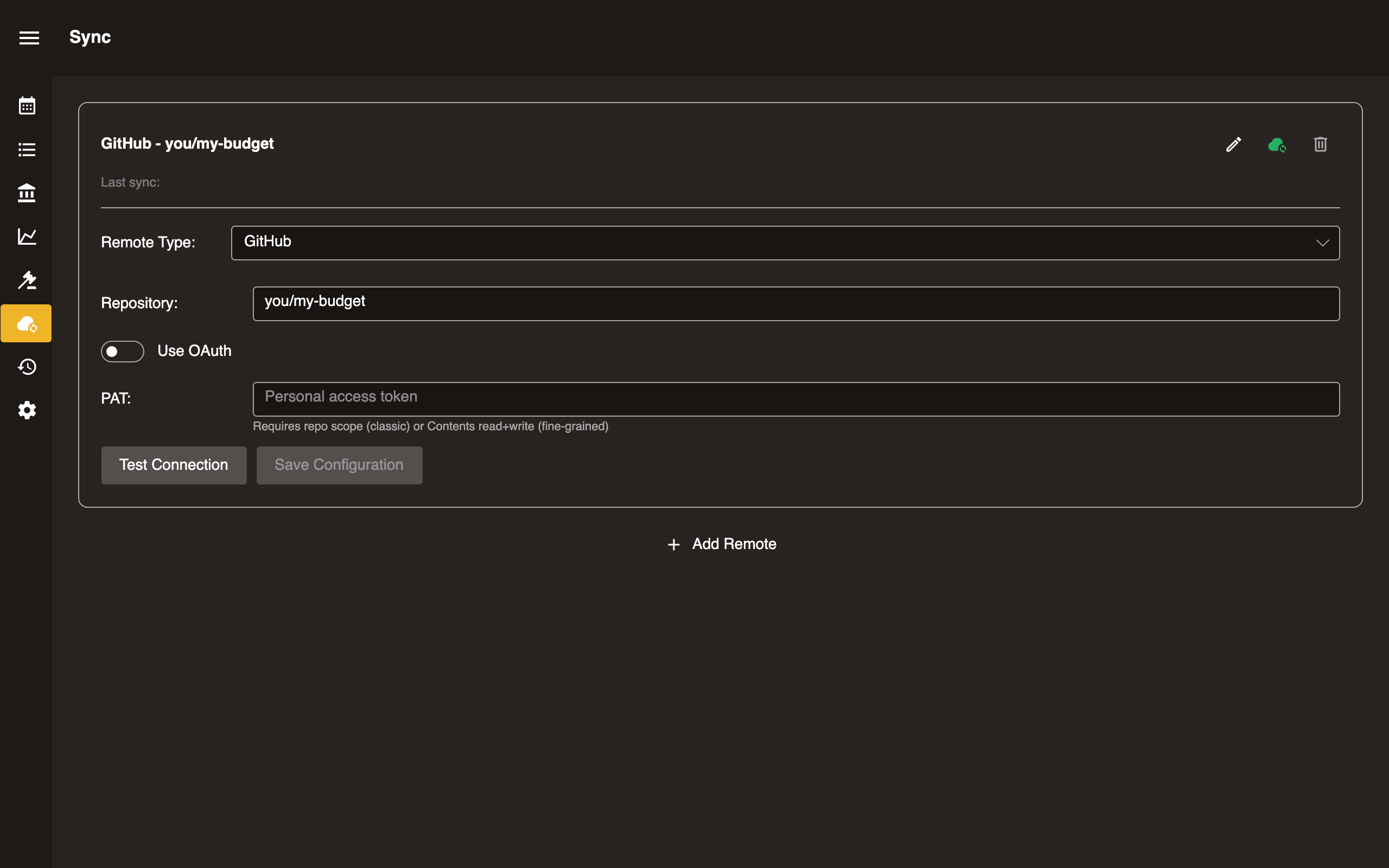
Option A: Personal Access Token
- Generate a Personal Access Token with
reposcope. - Paste the token into the Token field.
Option B: OAuth
- Toggle Use OAuth in the sync setup.
- Click Sign in. Your browser opens for GitHub authorization.
- Approve the request and return to Surebeans.
A default GitHub client ID is built in, so no further configuration is needed.
Configuration
| Field | Required | Notes |
|---|---|---|
| Repository URL | Yes | https://github.com/you/my-budget |
| Token | PAT only | ghp_xxxxxxxxxxxx |
| Use OAuth | OAuth only | Toggle on, then click Sign in |
Platform support
| Platform | Supported |
|---|---|
| Desktop | Yes |
| Browser | Yes |
In the browser, by default Surebeans routes web requests to GitHub through a proxy at cors.surebeans.net. This is necessary because GitHub’s CORS settings do not allow requests to github.com from surebeans.net. Per our privacy policy, we do not store or track any data.
Tips
- Use a private repo to keep financial data confidential.
- The token is stored locally and never sent anywhere except GitHub.