Settings
App configuration and status.
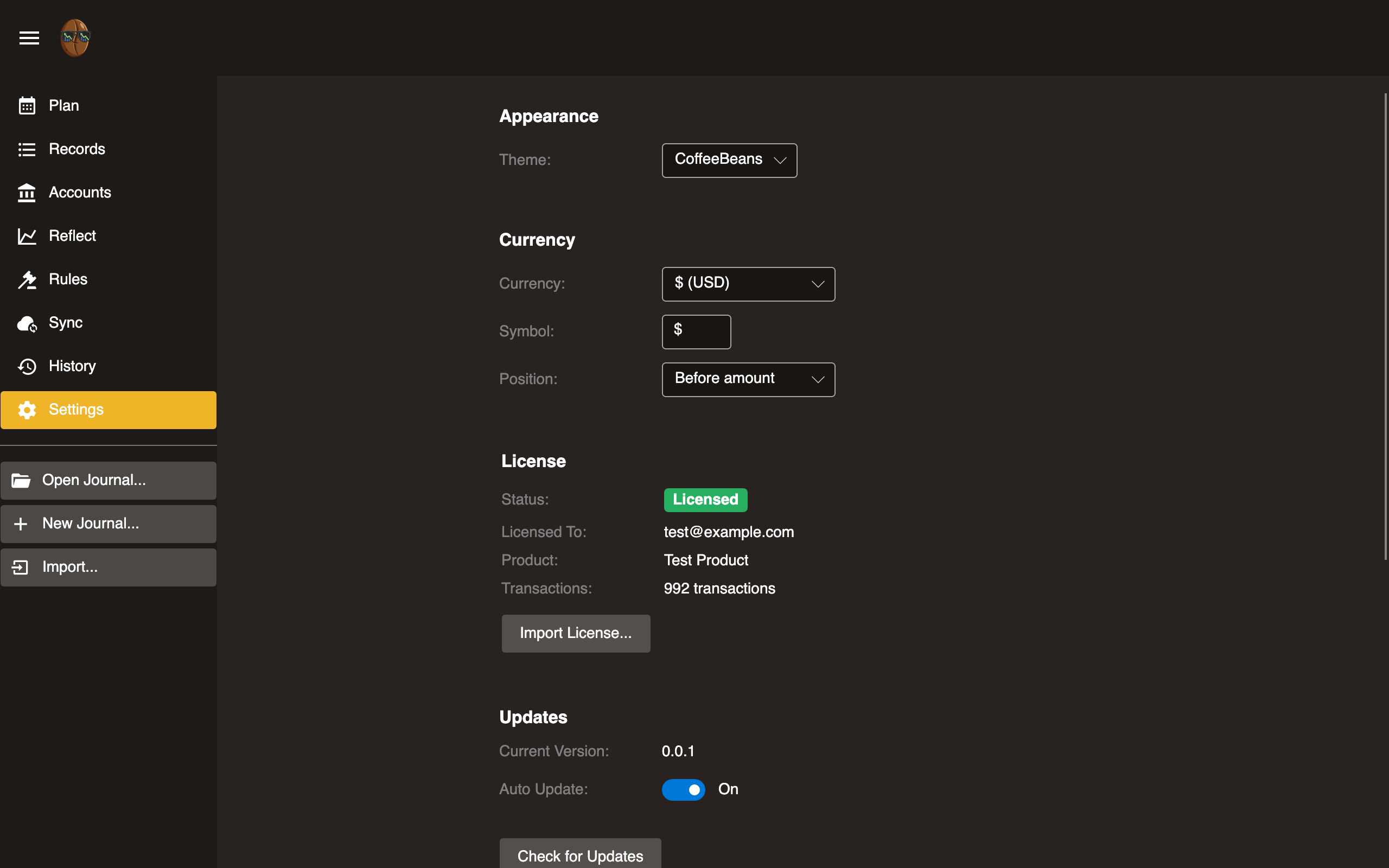
Theme
Switch between Light, Dark, and Auto (follows system preference). Changes apply immediately.
Currency
Configure your main currency: how amounts are displayed, the default for new entries, and the currency reports convert into. This is a per-journal setting saved to the journal config file.
Presets
| Preset | Symbol |
|---|---|
| USD | $ |
| EUR | € |
| AUD | A$ |
| GBP | £ |
| CAD | C$ |
Select a preset or enter a custom symbol.
Symbol position
| Option | Example |
|---|---|
| Before amount | $1,234.56 |
| After amount | 1,234.56 € |
| Don’t show | 1,234.56 |
Multi-currency
These settings appear once your journal holds more than one currency or any securities. See Multi-Currency for the full picture.
- Auto-fetch prices: How often Surebeans fetches prices in the background while open: Off, Hourly, or Daily. You can always fetch manually from the Net Worth report.
- Cost basis method: How a security sale is matched against its purchase lots for realized capital gains: FIFO, LIFO, HIFO, or Average cost.
- Securities prices: Stock and fund prices use Twelve Data, which needs a free API key. Paste it here; the page links to where you create one. The key is stored in your device’s secure store, never in the journal. Currency and crypto prices need no key.
License
- Status: Shows Licensed or Trial.
- Email: Licensed email address (if licensed).
- Record count: Current count and trial limit.
- Enter license key: Paste the license key you received by email or after checkout.
- Buy: Link to purchase a license.
The trial allows a limited number of records. Purchase a license to remove the limit.
Updates Desktop
- Check for updates: Queries for available versions.
- Download and install: Applies the update.
- Current version: Displayed at bottom.
Not available in the browser. The browser version updates automatically.
Beanscrape Desktop
- Installation status: Whether Beanscrape is installed.
- Version: Installed version number.
- Download/Install: Install or update Beanscrape.
- Custom path: Override the Beanscrape executable path.
For full Beanscrape documentation, see the Beanscrape section.