Personal Finance on the Go
Surebeans fits in your pocket
 Doug · 2026-07-09
Mobile is first-class
Too many budgeting apps work fine on your computer, but the mobile version gets neglected. They're like the children's adaptation of a celebrated major work of literature: they're not celebrated.
In contrast to those apps, I've made sure that Surebeans looks good on small screens and that it is just as useful on the go as it is at your desk. Go ahead and try Surebeans on your phone now.
Don't delay
The best time to record an expense is the moment it happens. Sure, your recent activity shows up when you import from your bank somewhere between immediately and a few days from now, but until then there is a gap where you have less money to spend than the app shows. It's so easy to fall behind. A few days later, you have 50 uncategorized transactions. You've misplaced the receipts and forgotten whether that Amazon purchase was for diapers, a chainsaw, or both. If you budget with a partner, they deserve to know.
Add an expense
To record an expense in Surebeans, go to the Records tab and hit the +. Fill in the details and click Save.
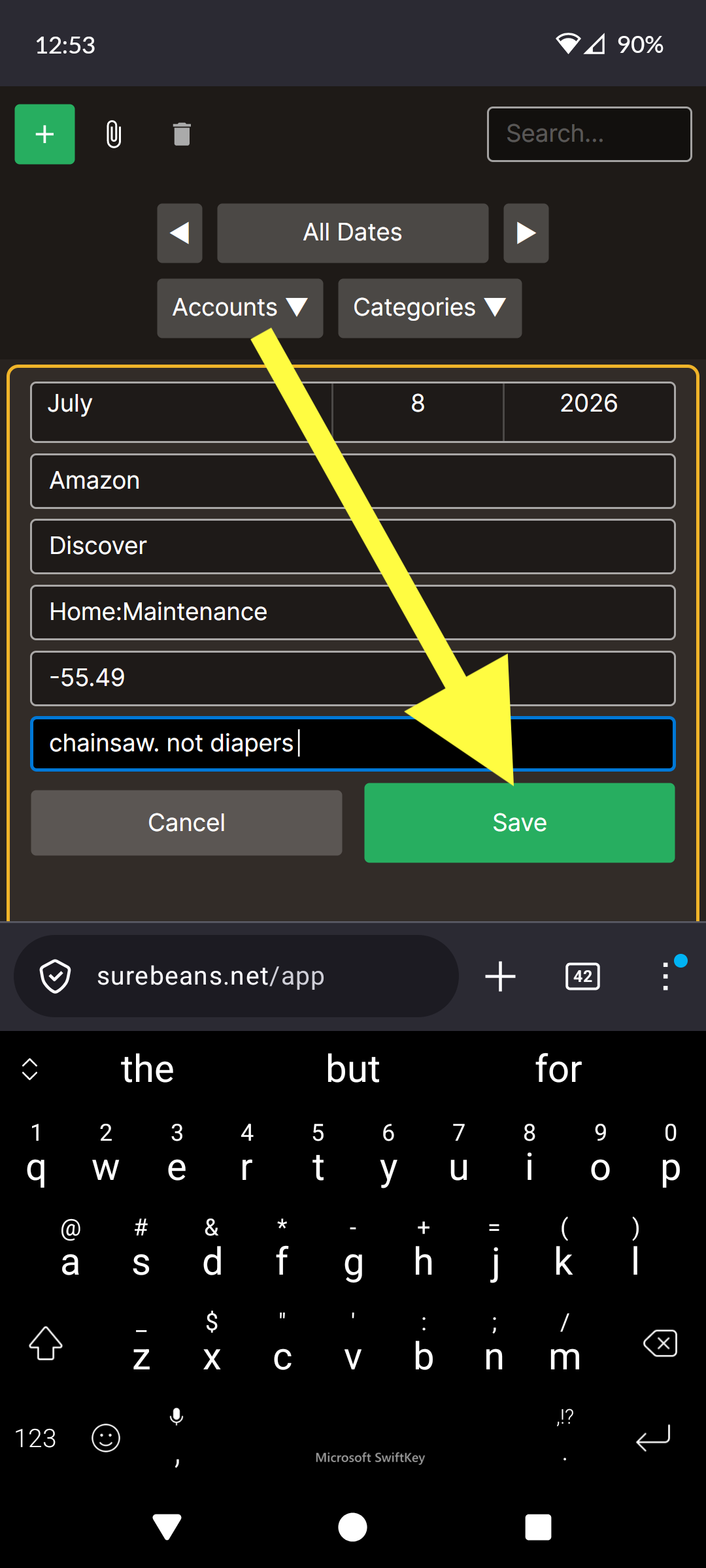
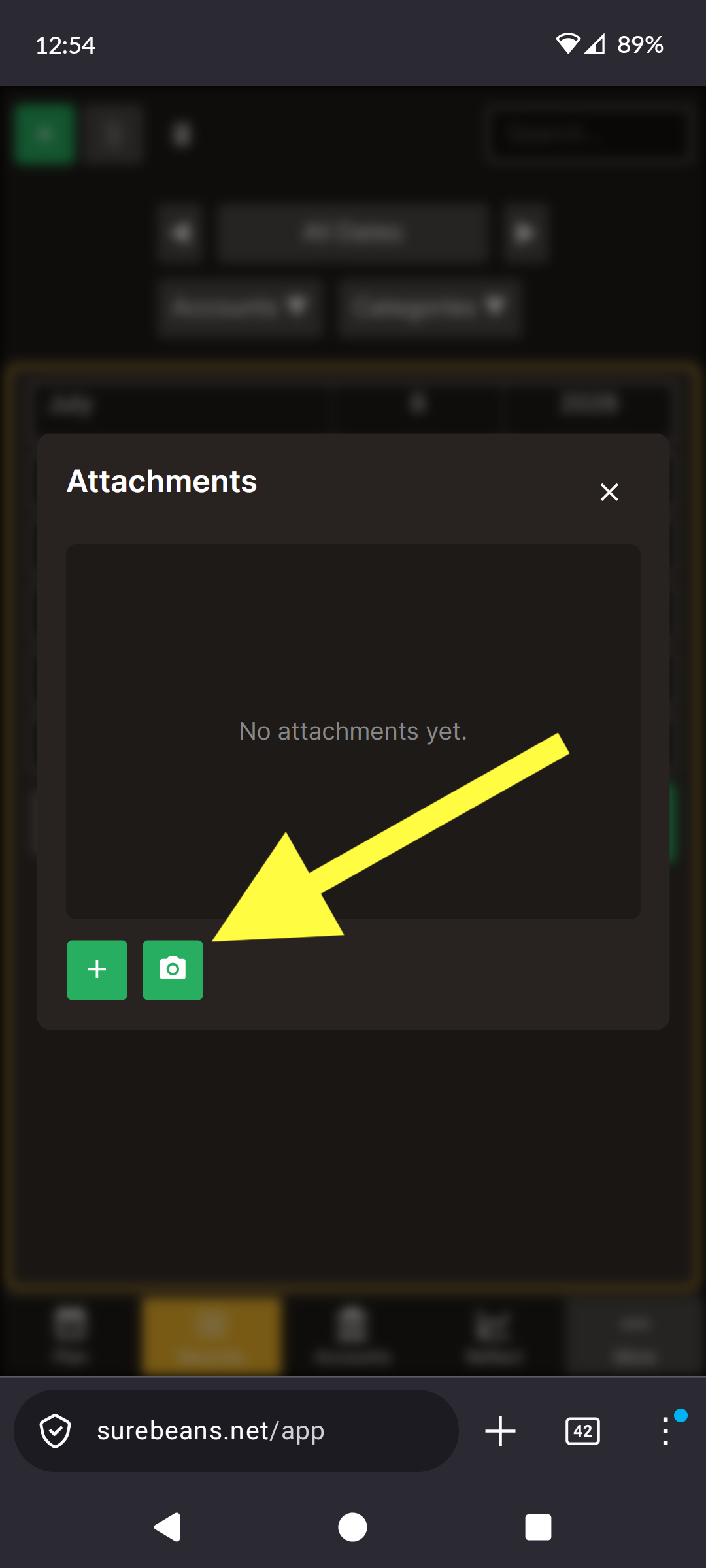
If you have a receipt, it's best to snap a photo now. Select the record in the list, then press the paperclip icon:

Then press the Camera button:
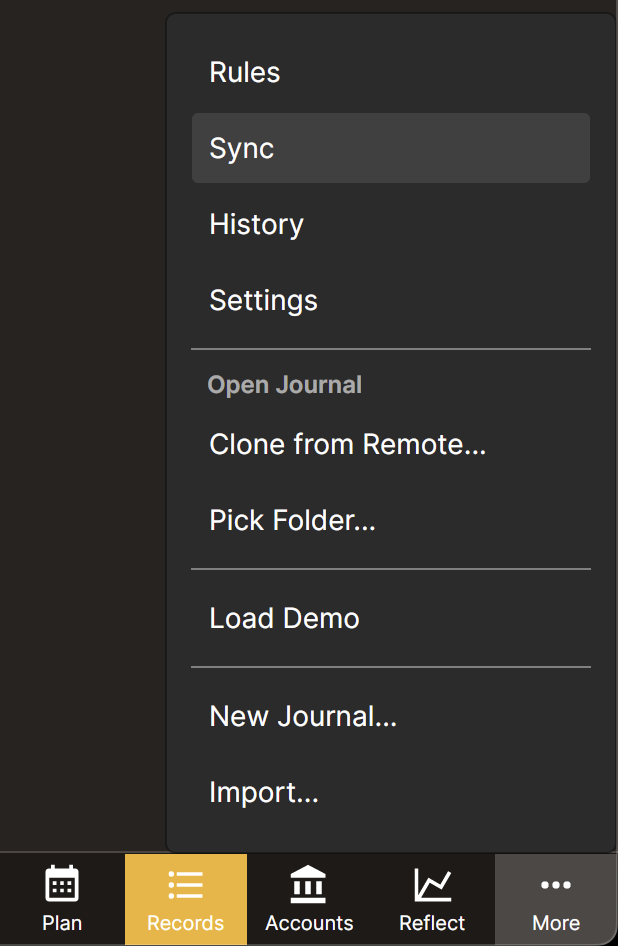
To make sure it shows on all your devices, don't wait to navigate over to More > Sync and push your changes to the cloud provider of your choosing.
If you haven't set up sync, check out the guide.